Factory manual / Early Access • V16.4 rules
Build your first factory without blocking its next expansion
Start at the Selling Stand and build back toward the pile. Reserve one main belt route: collection → scrap removal → hay processing → final scanner → destination split. Put the Depot beside the order route, keep poles and pipes in a walkable aisle, and leave the marked future shed wall clear. The diagram is a connection plan; fit the actual machines to your yard rather than copying fixed distances.
Updated 2026-11-16 · Early Access • V16.4 rules
On this page
Follow the route
Choose the permanent end first
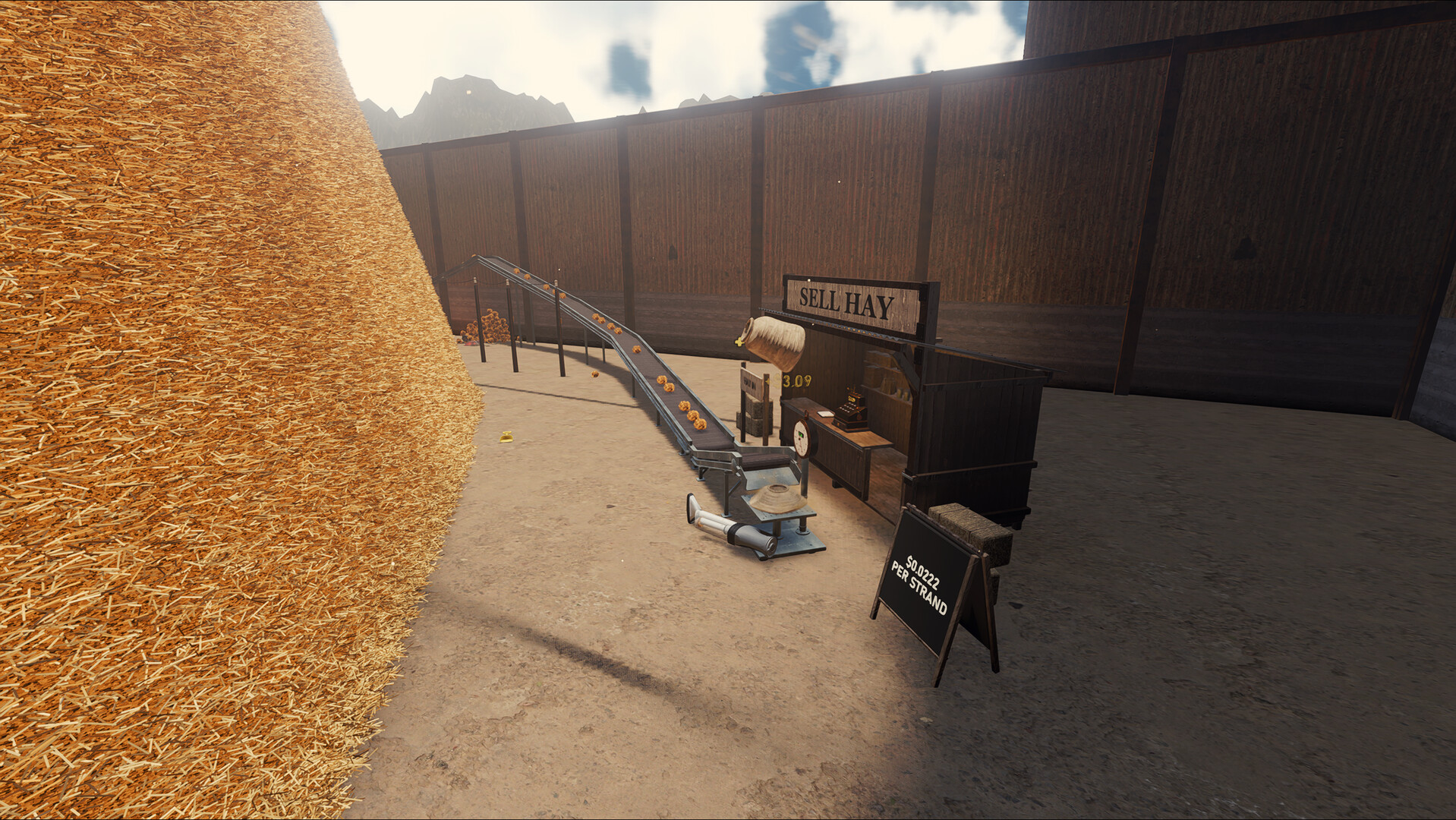
Find the Selling Stand and its belt intake. Keep the space in front of that intake clear, then build a belt toward the pile with its arrows pointing into the stand. The stand and main belt are your permanent side; arms and rakes at the pile will need moving as the pile recedes.
 Open full-size image ↗
Official Steam screenshot: identify the Selling Stand and its inbound belt. Promotional image; not a V16.4 UI capture. Give the material one readable path
Use a common collection point instead of separate crossing belts for each arm. Leave space before the first hay-processing machine to remove metal. Put each press, wrapper or other packaging stage before the final needle scanner; split finished goods only after that scanner. With only one product line, this is one path you can walk from end to end.
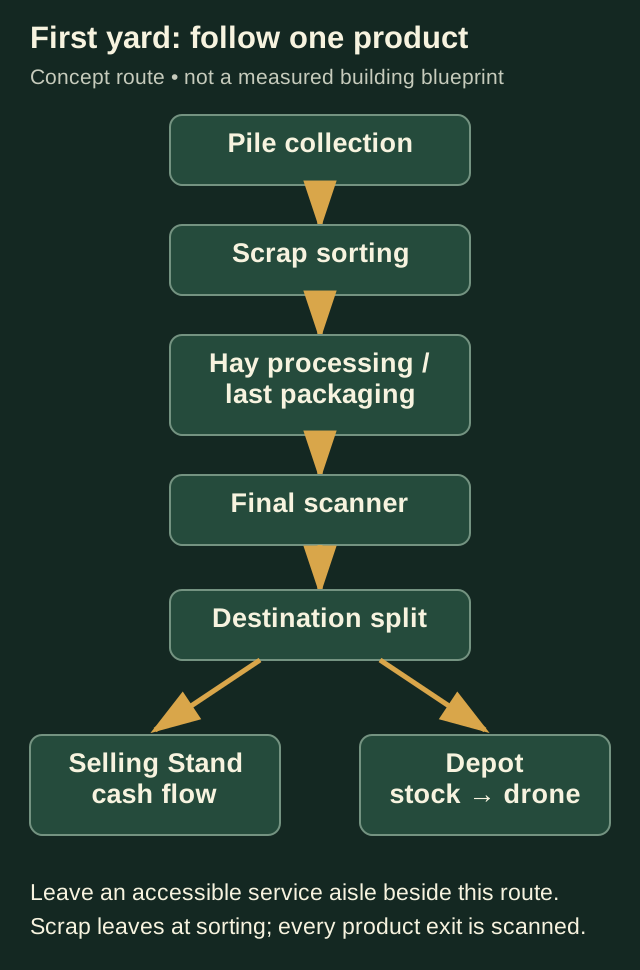
Connection order, not measured placement. The scrap route leaves before hay processing; the final gate covers finished goods. Leave the scrap exit accessible
When a Smart Splitter is available, give its Scrap door a separate route to a Smelter. Alternatively, an upstream Scanner can remove metal with its cannon; aim that metal at a collection belt. Do not aim loose scrap back into the hay intake. A scanner after packaging has a second job—recovering hidden needles—and does not protect machines before it.
Reserve the order pocket and service aisle
Leave room for a Depot and drone access near the order truck. Keep the Depot after a finished-product scanner, and connect its overflow belt so surplus has a deliberate destination. Run power poles and the future water main beside the production line where you can reach them. Avoid using E on a pole as a single-machine switch: it toggles the whole network.
Read arrows before confirming a connection
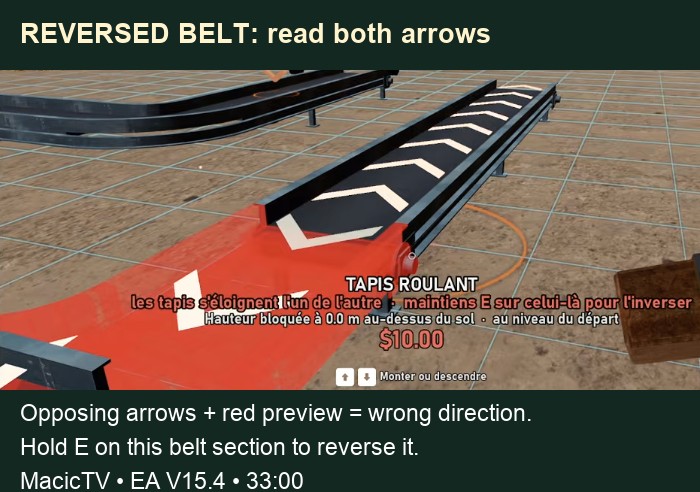
Walk the belt from its source. Arrows should carry the load toward the next machine intake. If a preview is red and the two ends point away from each other, reverse the wrong section rather than adding more bends. In the pictured V15.4 placement, the prompt says to hold E on that belt section to reverse it.
 Open full-size image ↗
Historical EA V15.4 gameplay at 33:00. The red preview and opposing arrows identify the connection problem; the original French prompt gives hold E to reverse. Protect the next expansion
Look for the small markers showing the next shed wall before placing permanent equipment. Leave the pile-facing edge flexible, the service aisle walkable and a flat area for a future Blueprint Designer pad. Do not paint that reserved pad area: blueprint pads cannot be placed over floor paint.
Commission one route before copying it
Follow a load from collection into processing, through the final scanner and into the stand. Then check the Depot branch separately. If it stops, read the first stopped machine and inspect its input, output, power and scrap status before moving anything. Add a second line only when both destinations work.
Use the same route to locate different faults
Do not rebuild the whole yard because the last belt is empty. Start at the first part that stopped: a yellow power warning belongs to the circuit check; arrows facing away belong to the input connection; an orange scrap jam belongs to the hay machine; and a rising scanner buffer belongs to the gate or its outfeed. The numbered diagram pins those checks to one route.
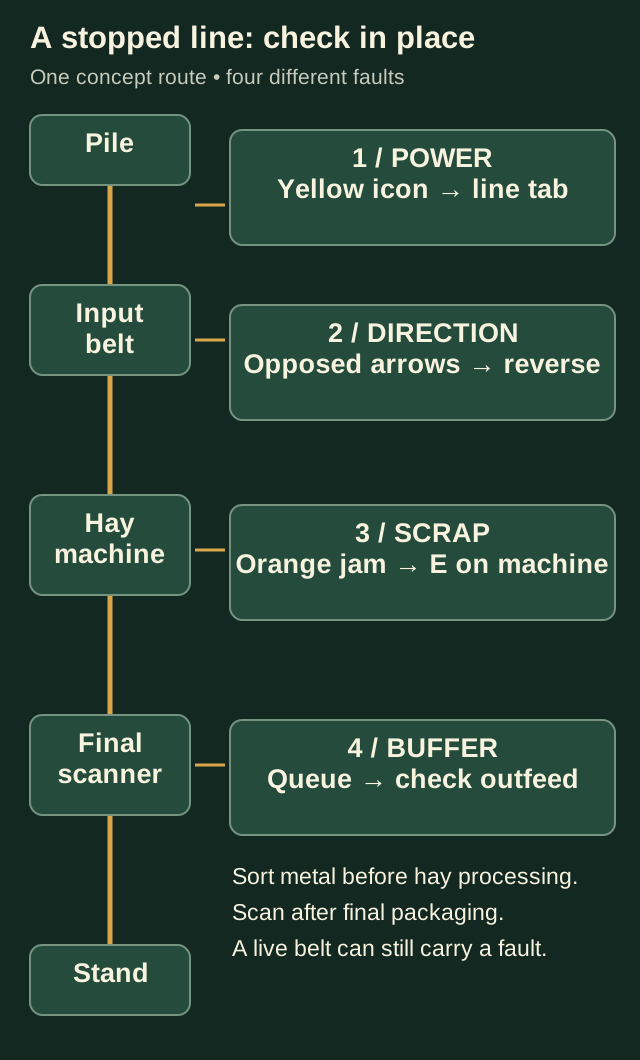
Editorial diagnostic map, not an in-game blueprint. Follow the same route and use the status at the stopped part to choose the repair.
Completion check
Check the result
Goods travel to the stand without a bypass around the final scanner; the order branch reaches a stocked Depot; metal has its own exit, and you can walk beside the line to its utilities.
If it still fails
If the belt moves away from the destination, fix its direction. If a machine shows a power warning, inspect its circuit before rebuilding. If the intake or output is full, follow that blockage downstream. If the pile-side equipment has stopped collecting, move it closer to the shrinking pile while keeping the permanent main route.
Continue from here
Sources & version
Written for Early Access V16.4. Earlier gameplay images are labeled where used; diagrams explain connections, not exact building dimensions or measured throughput.